Navigation Editor
The navigation to your event is customizable for looks as well in paths allowed.
To do this, on dash, go to Event Settings > Navigation Editior.
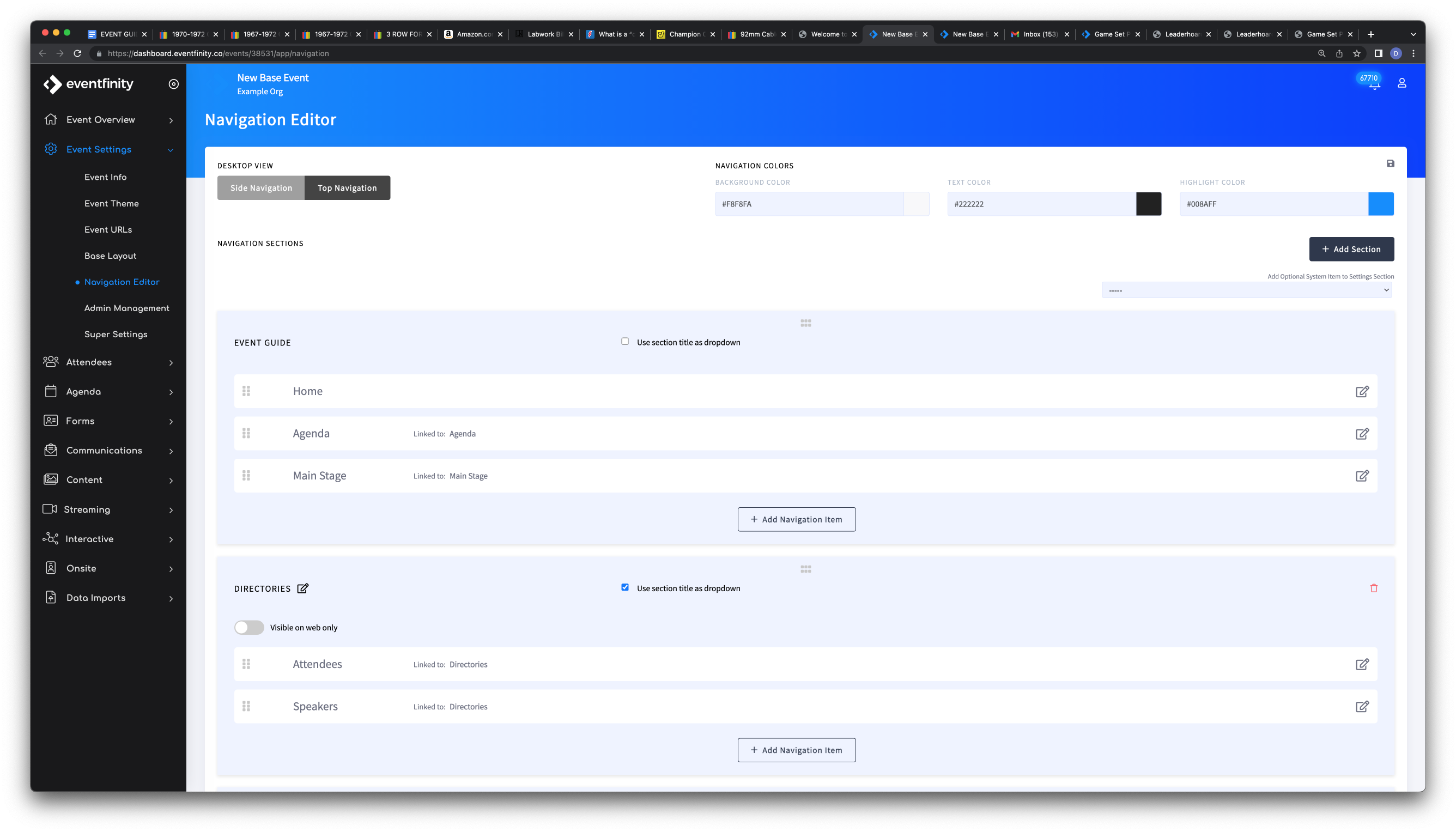
Here you can drag and drop in elements and quickly edit each to further customize to your event.
Use + Add Section in conjunction with the "Use section title as dropdown" checkbox to create new individual navigation elements or dropdown menus.
This is where admins can:
- Allow Attendees to select a language (Localization must be enabled and setup) and update their timezone
- Add direct navigation for attendees to direct access to these and more:
- Broadcasts
- Directories
- Surveys/Forms
- Maps
- Agendas
- VODs
- Main Stages
- vMeets
- networking suites
- enrollable agendas
